
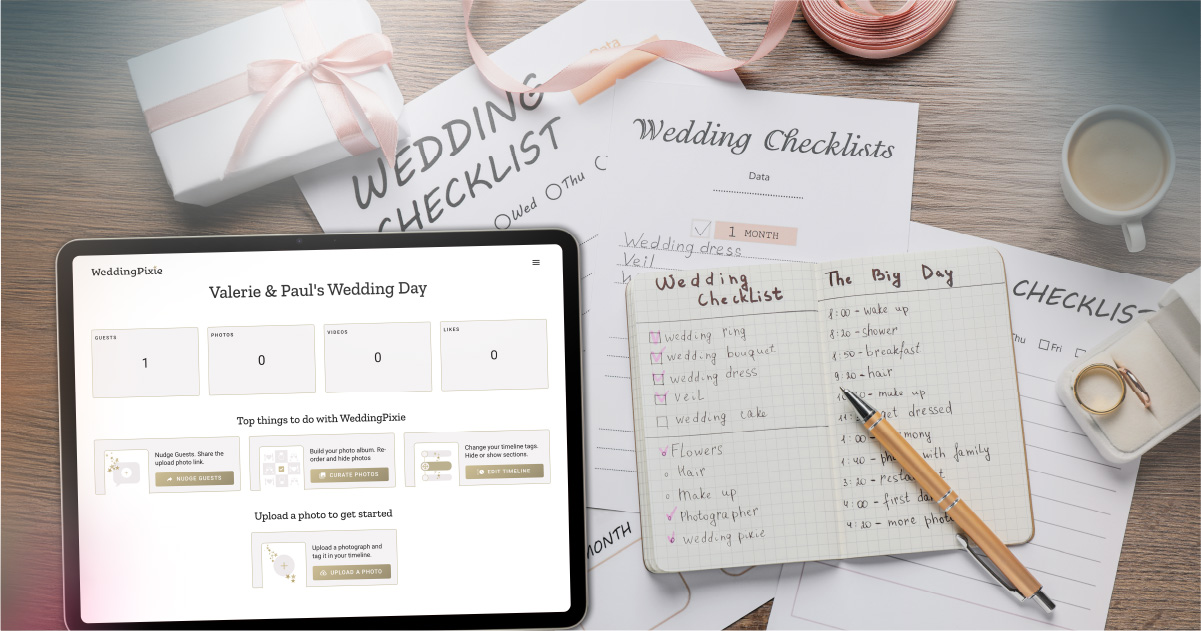
Visualise your wedding day with our timeline feature
We understand how much work has gone into planning your wedding. We want to make sure that your wedding flow is reflected in WeddingPixie. You can tailor your WeddingPixie timeline to match your wedding plan. The timeline is where you control what parts of the album are visible to guests and where they can add photos and videos.
The big thing you want to avoid is having a large, unorganised trove of wedding photos and videos that are difficult to navigate and enjoy. Our wedding timeline feature helps you structure and manage your wedding album effectively, ensuring that every moment is collected and properly organised.
- Customisable Wedding Timeline: Tailor your WeddingPixie timeline to match your wedding plan.
- Timeline Ordering: WeddingPixie organises your wedding photos and videos according to the timeline, making it easy for guests to upload and for you to navigate through your album.
- Privacy Controls: Manage your wedding album’s visibility by choosing which sections are public or private, giving you full control over your shared memories.
Crafting Your Perfect Wedding Timeline with WeddingPixie
Wedding planning is all about bringing your dream day to life, and at WeddingPixie, we’re here to help you achieve just that. You’ve invested a significant amount of time, effort, and money into planning your wedding, and we want your WeddingPixie experience to reflect your plan and vision.
WeddingPixie can help you plan the photos and videos you want to collect throughout the flow of your wedding day. Our customisable wedding timeline feature allows you to:
- Set the Flow: Figure out the flow of significant events that will happen throughout your day, from the build-up to the next day and everything in between.
- Visualise Your Day: See your entire wedding day laid out, helping you visualise the flow and experience for your guests.
Start simple and build from there
Our customisable timeline starts with just 7 sections, providing a convenient starting point for you to customise and make your own. We know that each wedding is special and different. That’s why we made it easy for couples to edit the timeline and create a personalised timeline that reflects every detail of your wedding.
Our customisable wedding timeline feature allows you to match the flow of your wedding day perfectly. We provide you with a template to start with: 7 pre-configured sections. These sections include:
- Build up
- Morning
- Ceremony
- Drinks reception
- Dinner & speeches
- Dancing & late night fun
- Day after
Each of these sections is fully customisable, allowing you to edit, add, or remove sections to create a timeline that fits your wedding day’s unique flow. This flexibility ensures that your wedding timeline reflects the experience you’ve planned for your friends and family.
Custom Tags for Your Wedding Day
We generate tags from your wedding timeline. Guests tag the photos and videos they upload using the timeline tags, ensuring that every moment is captured and neatly categorised. By tailoring the timeline to your wedding, you can set the tone for your guests.
Maintaining Privacy
Whether you want to keep certain photos and videos completely private or make specific sections visible only to guests, WeddingPixie provides the tools you need to manage your wedding album’s privacy. This is fantastic for maintaining control over your wedding memories while still sharing the highlights of your special day.
Hide Sections: Maintain Privacy with Your Wedding Timeline
In wedding planning, privacy is often a key concern, and we understand that not every part of your wedding timeline needs to be visible to everyone. For instance, you may not want your wedding dress revealed to guests until you arrive at the ceremony.
You can edit the morning section and hide it in your public album. With WeddingPixie’s timeline functionality, you can easily hide specific sections in your album.
Control Visibility: Control where your guests upload photos and videos to your album.
After your wedding day, when you're curating your wedding album, you might want to create a “Favourite Moments” section that’s displayed first in your public gallery. With our privacy settings, you can set this section so that guests can’t upload to it, ensuring that only the moments you choose are displayed in the “Favourite Moments” section of your real-time album.
Ready to create your dream wedding timeline? Sign up for WeddingPixie and start planning your perfect day. With our customisable tool and easy-to-use features, you’ll have everything you need to make your wedding a memorable success.
